How to manage your account details and your user profile
As a learner studying on Calibrae you have access to your user profile page.
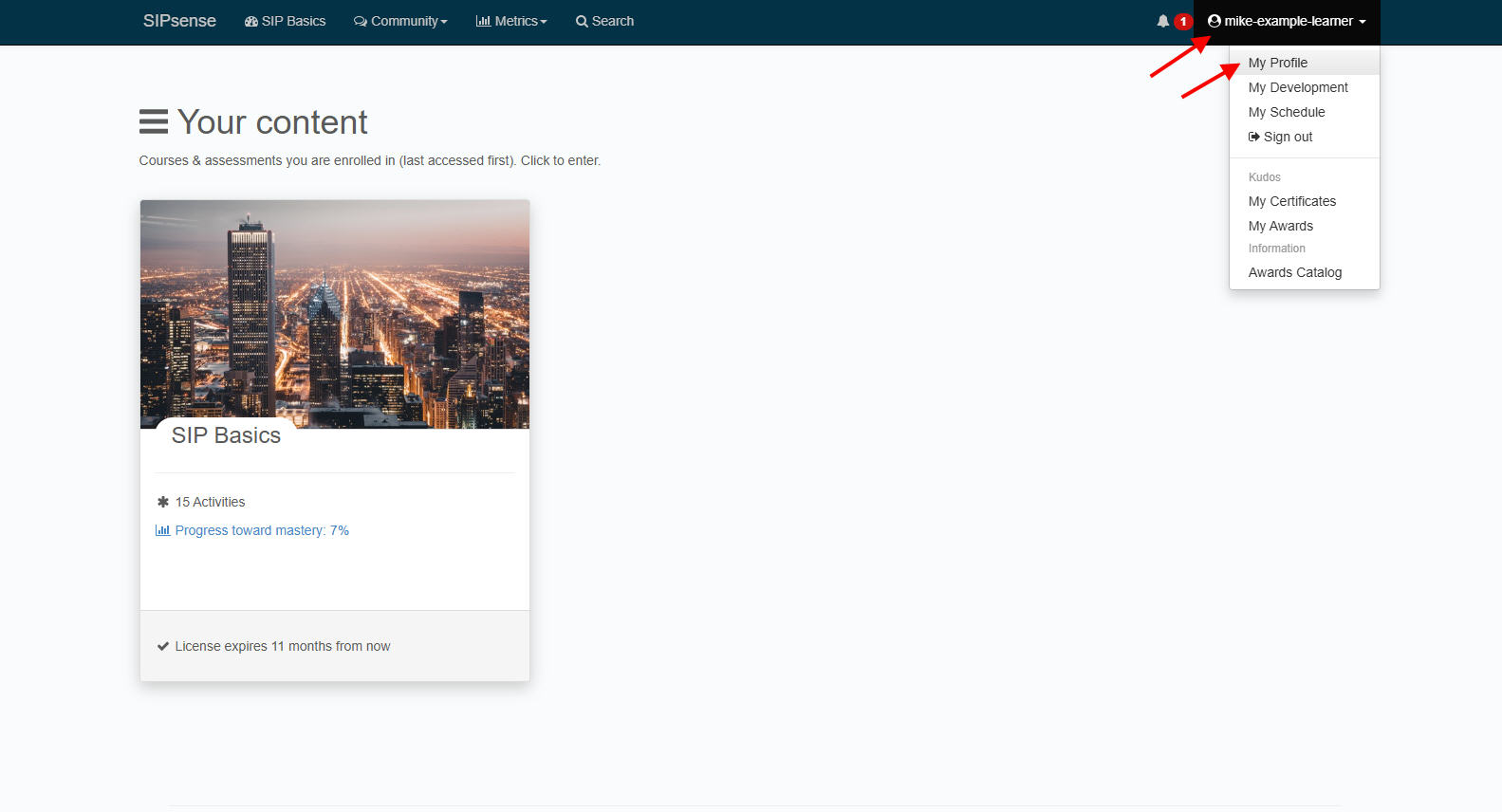
From your user profile page you can:
- View and edit your user details, including change your email address and street address
- Set your preferences, including preferred platform language, email permissions, and publishing your certificates and awards online for 3rd parties to view remotely
- Request a password reset email to change your password
- View your engagement data: content views, exercise attempts, streaks, etc
- View your points, badges, certificates and other awards earned whilst studying
- View your contributions to discussion groups
- View any classes and workshop webinars you have scheduled
- View and update your personal development plans
- View any additional system roles you may have been designated
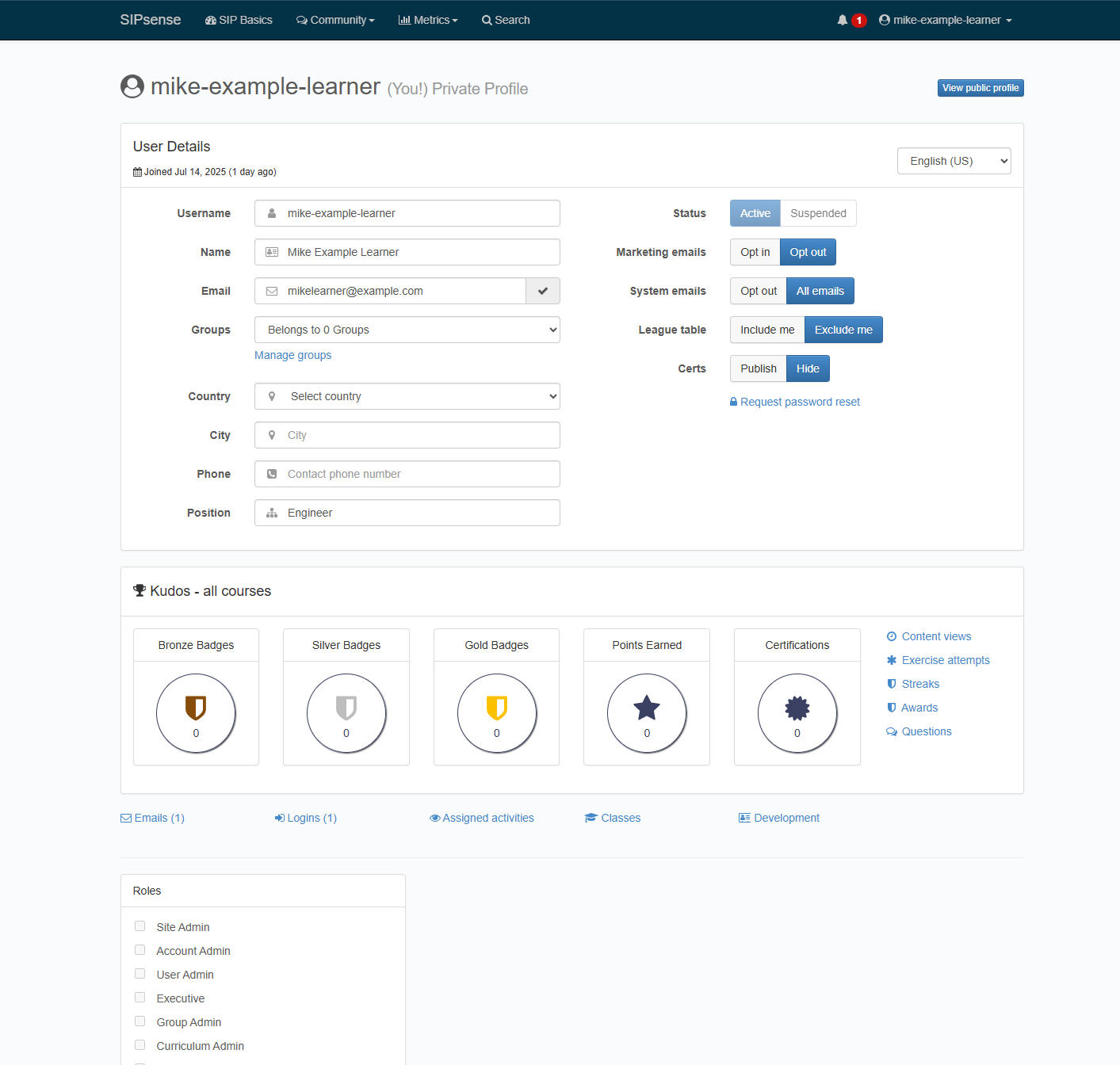
You can also view all emails that the system has sent you.
Other learner guides
FYI, we have other learning guides that focus on:
- Your welcome email and how to get started
- Self-paced courses and how to navigate them
- Instructor-led courses and how to navigate them
- How to find and enrol on courses
- How to manage your account details and your user profile
- How to view your progress metrics, awards
- How to reset my password
- How to use the online meeting room for webinars
- How to enable my microphone and camera in the online meeting room
Want an LMS of your own? Try for free or get in touch
in this category
.png)